Design desktop and web apps.
Like VB5, for 2026.
Draw a form, double-click a button, write what it does, press F5. Visualised builds real apps for Windows, Linux and Android, and the same file runs in a browser.
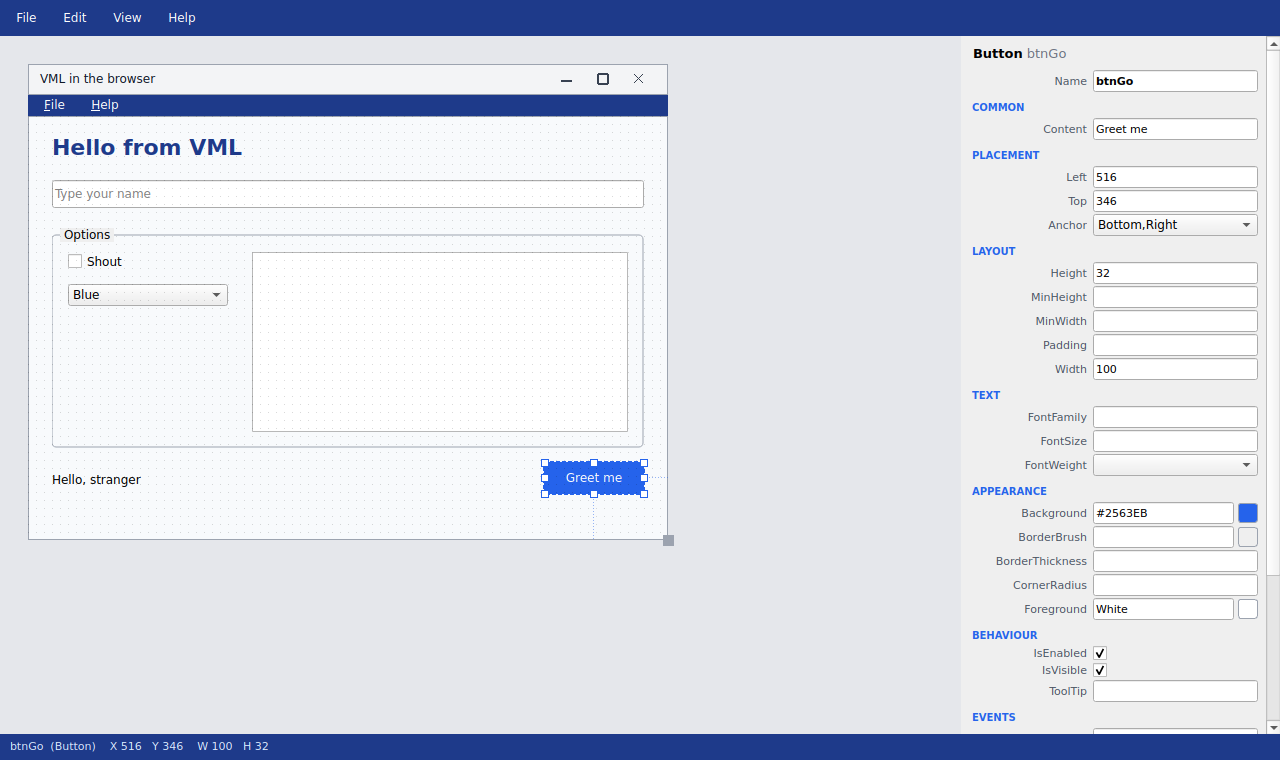
Draw a form, double-click a button, write what it does, press F5. Visualised builds real apps for Windows, Linux and Android, and the same file runs in a browser.
Simpler than a website form builder, and it builds real desktop apps. The designer is itself written in VML, Visualised's own markup.
No toolbox to hunt through. Right-click the form, choose a control, drag it into place. Snaps to the grid.
Pin controls to the form's edges and they move and stretch as the window resizes, on the desktop and in the browser.
Drop controls into a Frame and they travel with it. Anchor the frame too, and whole areas stretch together.
Add Menu gives you File, Edit and Help. Click to edit, right-click to add. Or use the VB5-style Menu Editor.
Every property, grouped, with the right editor for each. Never stale: change something anywhere and it shows.
Forms open forms, modal or not, read each other's controls, and hand back dialog results.
One click for a Windows app, a Linux app, or a web page that works offline. Double-click and it runs: no installer, no runtime to find.
Press F6 and your form opens as a web page: one self-contained file, no server, no framework. Anchors become CSS; your Lua scripts run unchanged in WebAssembly.
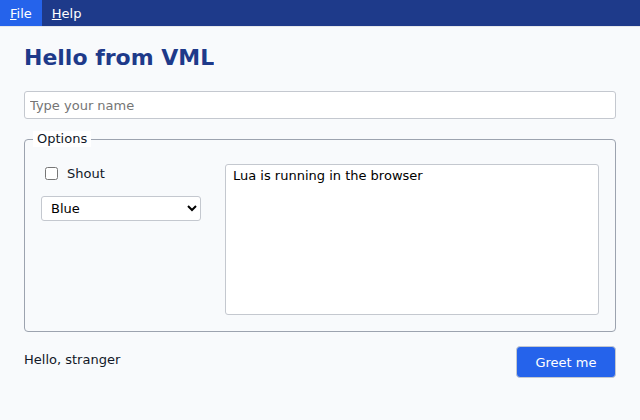
Try the live demo → Type your name, open the menus, and resize the window.
Visualised for Android runs the apps you make, and lets them use the phone. The same Vml() calls work on the desktop and in a browser too, each doing the nearest sensible thing, so one script runs everywhere.
New Phone Form gives you a form the size of a phone held upright. A wider form is scaled to fit the screen.
GetLocation hands your script where the phone is. TakePhoto and PickPhoto put a picture straight into an Image.
Notifications in the phone's own list, text handed to any other app, words said out loud, a buzz, even the torch.
Open an app from a web address, tap Keep on this phone, and it runs anywhere with no connection. Files it saves go to Downloads.
An app can ask to keep going while the phone is used for something else, with a notice to tap to come back.
Location, camera, microphone and notifications are the phone's to grant: the app asks once, and you can say no.
Preview on Phone shows the form you're drawing on your phone, from a QR code: change it on the computer, see it on the phone. Get the Android app →
No Android Studio, no Gradle, no SDK, no emulator. Visualised carries its own ready-built phone app and puts yours inside it: File › Export › Android app, and a few seconds later there's an .apk of its own, about a megabyte, ready to hand to anyone with an Android phone.
Their figures are their own: Android Studio's requirements (Google) and Visual Studio 2026's (Microsoft), October 2026. Ours is the size of the Windows installer.
Your app's name, icon and version, its own identity on the phone, and only the permissions its scripts actually use. Nothing of Visualised's shows.
Made with a signing key of your own, created the first time and kept beside your settings. Visualised reminds you to keep a copy: Android only takes an update signed with the same key.
A download link, a message, a USB stick or another store. (Google Play wants its own app-bundle format; that's for later.)
The parts that usually take a week of consoles, keys and SDKs are one line each, on the phone, the desktop and the web alike.
No OAuth app to register, no client IDs, no redirect URLs. SignIn opens the provider's own sign-in and hands your script the name, email and picture, with a signed token your own server can check.
OnPush wakes your app on the phone. Bring your own Firebase project if you have one, or use Visualised's own push service and skip Firebase altogether: the phone gets a push address, and PushSend reaches it from a desktop app or a web page.
Two copies of your app talk to each other, phone to phone or phone to desktop. Press together and check the same three words, or scan a QR code, and messages flow both ways, with the last day's kept for whoever arrives late. No server of your own.
-- who is this?
Vml("SignIn", "google", "SignedIn")

-- wake me when there's news
Vml("OnPush", "Heard")

-- talk to the other phone
Vml("LinkPair", "Linked")
Vml("LinkSend", "On my way!")

-- and the phone itself
Vml("GetLocation", "Here")
Vml("SmsSend", number, "Running late")
Vml("WatchBluetooth", car, "true")
Vml("Pressure")  -- which floor of the car park
Exporting a form as an app of its own (Windows, Linux or Android) is part of Visualised Pro. The Android apps on visualised.org were made this way: TinySMS turns a phone into an email-to-text gateway, tiny-talk says it in pictures anyone can read, and Morse Torch talks with light.
Every script, in every language, talks to the form through one simple function: Vml(). The same little program reads naturally whether you think in Visual Basic, Python, Lua or C#.
' Visual Basic
Dim name = Vml("GetProperty", "txtName", "Text")
Vml("SetProperty", "lblHello", "Text", "Hello, " & name)

-- Lua
local name = Vml("GetProperty", "txtName", "Text")
Vml("SetProperty", "lblHello", "Text", "Hello, " .. name)

# Python
name = Vml("GetProperty", "txtName", "Text")
Vml("SetProperty", "lblHello", "Text", "Hello, " + str(name))
Because every script reaches the form through that one Vml() call and a shared object model — not any one language's own libraries — your program's logic doesn't belong to a language. Visualised holds it as a neutral structure and writes it back out in whichever you choose. Open the script editor, change the language box, and your code is rewritten in place: author once, then read and edit it in the language you know. Lua is the default — and what the four examples below are written from — but you can write in any supported language and have Visualised convert it for you.
Microsoft do this for Visual Basic and C#. Visualised does it for all of them.
' greet the user by name
Dim name = Vml("GetProperty", "txtName", "Text")
If name = "" Then
    Vml("InfoDialog", "Please type your name")
Else
    Vml("SetProperty", "lblHello", "Text", "Hello, " & name)
End If
# greet the user by name
name = Vml("GetProperty", "txtName", "Text")
if name == "":
    Vml("InfoDialog", "Please type your name")
else:
    Vml("SetProperty", "lblHello", "Text", "Hello, " + str(name))
-- greet the user by name
local name = Vml("GetProperty", "txtName", "Text")
if name == "" then
    Vml("InfoDialog", "Please type your name")
else
    Vml("SetProperty", "lblHello", "Text", "Hello, " .. name)
end
// greet the user by name
var name = Vml("GetProperty", "txtName", "Text");
if (name == "") {
    Vml("InfoDialog", "Please type your name");
} else {
    Vml("SetProperty", "lblHello", "Text", "Hello, " + name);
}
The same form, the same Vml() calls, four languages — every line here was produced by Visualised translating the one script. Variables, calls, loops and conditions carry across cleanly; a few very language-specific library tricks may want a tweak, so you can still lean on each language where it shines. The conversion rules live in VML, not the engine: each language is a small recipe Visualised reads, so the community can sharpen one or add a brand-new language, and every script converts to it like the rest — full instructions are in Help, inside Visualised.
@Window MainWindow
Title=My Application

@Button SaveBtn
Parent=MainWindow
Content=Save
OnClick=SaveScript

@Script SaveScript
Interpreter=lua
Vml("InfoDialog", "Saved!")
Visualised apps are written in VML, a flat markup: no nesting, no closing tags. Each control names its parent. Easy to read, easy to diff, easy to generate.
A Visualised app is a single readable file. visualised.org is the community app store: run an app straight in your browser, take its .vml to read or change, or put its Android app on your phone.
Mountie, No-Stick, TinySMS, tiny-talk and Morse Torch are there now. Have a look →
Apps made with Visualised, by the people who use it. Free to share, easy to read before you run them, and every one runs on Windows, Linux and the web.
Free for individuals. Windows 10 and 11, and Linux. Android for the apps you make.
New in 1.11: write your scripts in Lua, Python, Visual Basic or C# and switch the language live — your code is translated in place. Also recently: apps can mount SSH folders, disk images, partitions, filtered folders and RAM disks as real drives (it's what Mountie is made of); open a terminal or an SSH session; live in the tray with menus and submenus; show SVG pictures; and the file boxes gained Find, Hide and show-only filters. Sign-in, push messages and Link work on the phone, the desktop and the web alike.
Installs for you only, no admin needed. Associates .vml files and can add vml to your PATH. Windows may show a SmartScreen warning: click More info, then Run anyway. Or get the portable zip.
curl -fsSL https://github.com/wallisoft/vml-releases/releases/latest/download/install.sh | bashUbuntu 22.04+ and similar. Installs into your home folder: the designer in your app menu, vml in your terminal, and .vml files opening in VML.
Prefer a package? Get the .deb for Debian, Ubuntu and Mint, or an AppImage that runs on any distro with nothing to install.
Android 10 or later, 100 KB. Runs apps made with Visualised; the designer itself is for Windows and Linux. On a computer? Open visualised.io on your phone and tap Download.